


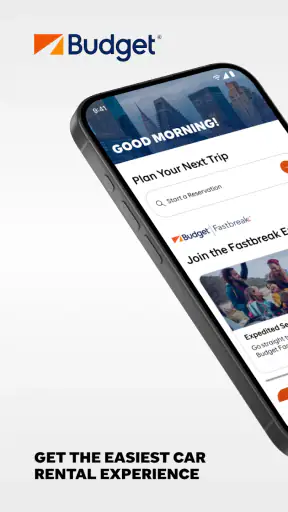
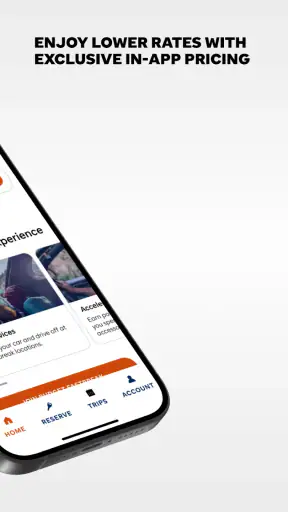
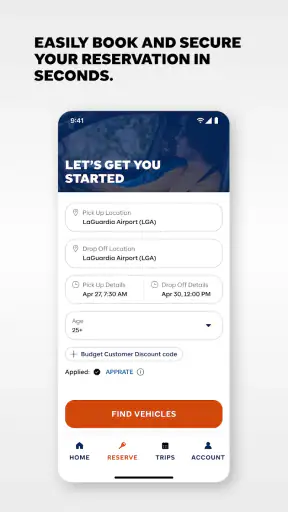
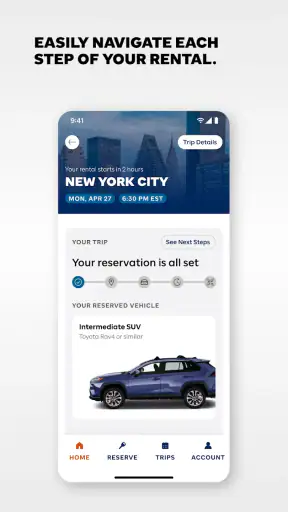
When I need a rental car without turning the process into a long desktop search, I want the essential steps to stay together: finding a vehicle, checking the offer, and managing the reservation afterward. That is the main reason I see value in Budget Car Rental. It is a free Travel & Local app from Avis Budget Car Rental LLC, built around the practical task of arranging a Budget rental from a phone rather than treating the app as a general travel planner.
My overall impression is positive, especially for people who already intend to rent through Budget. The app has a focused purpose, a clean enough path from search to reservation, and the convenience of keeping rental information available while traveling. It is not a replacement for every travel tool, and I would not install it expecting a broad comparison marketplace. Its usefulness comes from being a direct channel for one rental company.
The app has been available since June 27, 2012, and its current version is 15.11. It is rated for Everyone, works on Android 7.0 and later, and has passed the one-million-install mark. Its average rating is 4.6 from roughly seventeen thousand ratings, with about 3.9 thousand written reviews. Those figures suggest that the basic rental workflow works well for many users, although a strong store rating should not be mistaken for a guarantee that every pickup or billing situation will feel effortless.
Why the mobile rental capability matters
The capability I find most useful is the ability to handle a Budget reservation from the same place I carry my travel details. That sounds simple, but it changes the rhythm of a trip. Instead of searching for a rental page in a browser, switching between messages, and trying to remember which confirmation belongs to which journey, I can use the company’s own app as the starting point for the rental process.
This direct approach is particularly helpful when the rental is connected to a flight, hotel stay, or weekend visit. I can make the car search part of my travel preparation rather than an isolated task. The app’s role is not to decide my entire itinerary; it is to make the Budget portion easier to reach and manage.
I also appreciate the distinction between a rental-company app and a general travel aggregator. An aggregator may show several brands in one search, which is useful when the lowest price or widest choice matters most. Budget Car Rental is more appropriate when I have already chosen Budget, have a membership or account relationship with the company, or want to work directly with the source of the reservation.
That direct connection can reduce one kind of confusion. If I book through a third party, I may need to check both the intermediary’s confirmation and the rental company’s requirements. Using the Budget app keeps the rental interaction closer to the company that will actually provide the vehicle. It does not remove the need to read the reservation details carefully, but it gives me a more natural place to review them.
What the app is really good at
In everyday use, I would describe the app as a reservation companion rather than a complete travel assistant. Its strongest job is helping me move through the rental decision and return to the booking when I need the details again. That makes it useful before departure, during the pickup phase, and when I am checking what I arranged after a busy travel day.
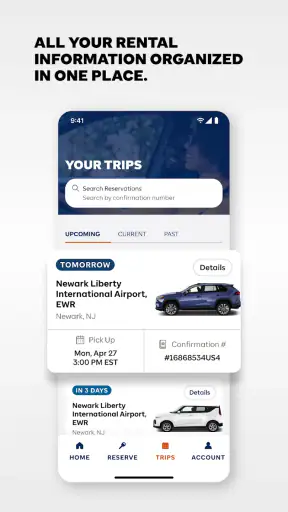
The important benefit is continuity. A rental reservation is easy to lose among airline messages, hotel emails, calendar entries, and navigation apps. Having a dedicated Budget app gives the car booking its own home. For a traveler who rents occasionally, that may simply save a few searches. For someone who rents repeatedly, it can make the whole process feel more familiar and less dependent on remembering the exact website path.
There is also a practical advantage to using a phone during travel. I may be standing in an airport, walking toward a rental facility, or dealing with a last-minute change in plans. A mobile interface is more convenient in those moments than opening a laptop. The trade-off is that a phone screen gives me less room to compare every condition at once, so I still slow down when reviewing the important parts of a reservation.
How I would use it before booking
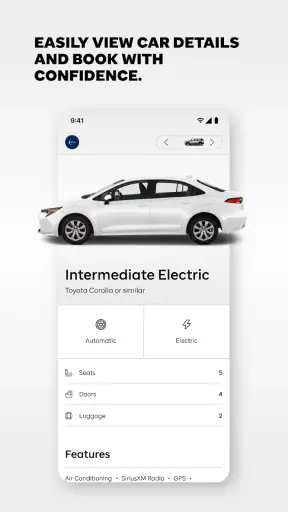
I start by deciding what matters more for this particular rental: direct booking with Budget or comparing several companies. If I already know that Budget is the right fit, I use the app to begin the search and examine the available rental choices. I pay close attention to the location, dates, vehicle category, and the final terms shown during the process rather than relying on a headline offer.
This is one of my first practical tips: I do not treat the first displayed vehicle as the whole decision. A car that looks inexpensive at the beginning may not be the best choice once I consider the length of the rental, the pickup location, and the conditions attached to the reservation. The app can make the booking path quicker, but speed should not replace checking the details.
I also take a screenshot or keep the confirmation accessible after completing the reservation. That is not because the app is unreliable; it is simply good travel housekeeping. Airports and city locations can be hectic, and having the key information ready is easier than trying to reconstruct the booking while standing in line or dealing with weak connectivity.
Another useful habit is to check the booking again shortly before the trip. Travel plans change, and the details I entered several days earlier may no longer match what I remember. Reviewing the reservation in the app gives me a chance to notice an incorrect date, an inconvenient location, or a vehicle choice that no longer suits the journey.
What happens in a realistic travel scenario
Imagine I am flying to another city for a long weekend. I need a car from the airport, but I do not want to spend the arrival day comparing rental websites. Before leaving home, I open the app, search for the relevant rental period, choose a suitable Budget option, and review the reservation details. I then keep the app available on my phone while traveling.
After landing, I can return to the rental information instead of searching through an inbox full of flight updates and hotel messages. If I need to confirm the reservation details while moving through the airport, the dedicated app is a more logical place to look. The real benefit is not a dramatic feature; it is the reduction of small interruptions at a time when I am already carrying luggage and watching the clock.
On the return journey, I use the same booking reference and rental context rather than beginning from scratch. That continuity is especially welcome when the trip has several moving parts. If the car is only one piece of a larger itinerary, the app helps keep that piece organized without asking me to turn it into a separate project.
For a business traveler, the same workflow can be even more valuable. A short-notice meeting may require a car for a limited period, and the ability to handle the rental from a phone can save time between flights or appointments. I would still compare alternatives if the destination has expensive rental rates or limited availability, but for a familiar Budget booking, the focused workflow makes sense.
Where the direct approach has limits
The biggest limitation is also the app’s defining choice: it centers on Budget. If I am undecided between rental companies, I may prefer a comparison service that puts multiple providers side by side. That kind of service can make it easier to compare broad availability and headline prices in one place. Budget Car Rental is less useful for that first-stage market survey because it is designed around one brand’s rental process.
There is a second trade-off in mobile booking. A phone is convenient, but the smaller display can make it harder to examine several options and conditions at the same time. I am more likely to miss a detail when I rush through a compact screen, especially if I am booking while distracted. My solution is to use the app for convenience but pause before confirming, particularly for airport pickups, longer rentals, or unfamiliar destinations.
I also would not assume that installing the app automatically solves every issue at the counter. The app can organize the reservation, but the actual rental experience still depends on the location, timing, vehicle availability, and the requirements connected with the booking. This is why I treat the app as a preparation and access tool, not as a promise that every part of the handover will be frictionless.
Another realistic limitation is that occasional renters may not need a dedicated application at all. If I rent a car once every few years and already have a confirmed booking in my email, a mobile browser may be enough. The app becomes more worthwhile when I expect to manage the reservation from a phone, want a dedicated place for the booking, or use Budget often enough that repeating the same process has value.
When another option may be better
I would choose a multi-company comparison tool when price discovery is my main priority. That is the better route if I am flexible about the provider, location, or vehicle brand and want to see alternatives before committing. I would also consider a browser on a larger screen when I need to compare several rental periods or carefully inspect a complicated itinerary.
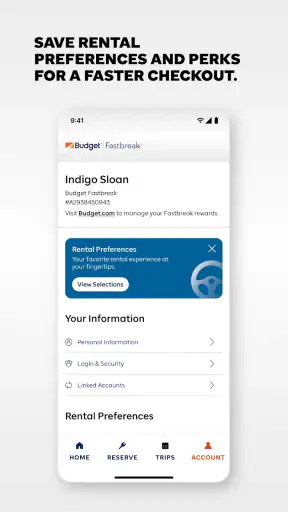
On the other hand, I prefer the Budget app when the decision is already mostly made. If my employer uses Budget, if I have had a good experience with the company, or if the pickup location and dates are already settled, adding a comparison layer may only create extra steps. The direct app gives me a more focused path and a convenient place to return to the reservation.
This distinction helps avoid a common mistake: judging the app as though it were supposed to be every kind of rental tool. It is not the best choice for someone who wants to search the entire market. It is a sensible choice for someone who wants to deal with Budget directly and keep the rental process close at hand.
Small habits that make the app more useful
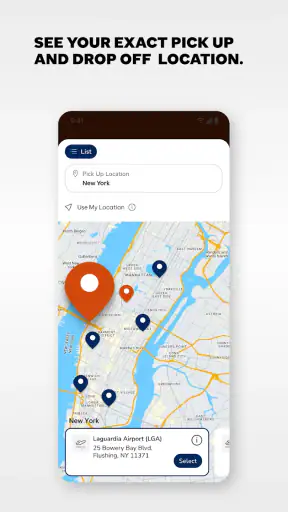
My first habit is to search with the exact pickup and return context already decided. Airport, downtown, and neighborhood locations can produce very different levels of convenience, and selecting the wrong one can create more trouble than saving a few minutes in the app. I confirm the location name before moving forward, especially when a city has several Budget facilities.
My second habit is to separate the vehicle category from the vehicle image in my mind. A rental search may help me choose a type of car, but my actual needs are more important than an appealing example. I think about luggage, passengers, parking, and driving distance before confirming. For a solo business trip, a smaller option may be practical; for a family with bags, the cheapest category may not be comfortable.
My third habit is to use the app as a record-keeping point. After booking, I return to the reservation and check that the dates and location still match my travel plan. I keep the confirmation available before leaving for the airport. This simple workflow is more valuable than repeatedly searching for a new deal after the reservation is complete.
A fourth tip is to avoid making a rushed change while tired or in transit. If I need to alter a booking, I first read the revised details carefully and make sure the new dates and location are correct. A mobile app makes changes more accessible, but accessibility can encourage impulsive taps. I prefer to verify the result immediately rather than assume the change worked exactly as intended.
Who gets the most value from it
The best match is a traveler who has already narrowed the rental choice to Budget and wants a direct, phone-friendly way to manage it. That includes weekend travelers, business users, families arranging airport transportation, and repeat renters who prefer a familiar company workflow. The app is also a good fit for people who dislike keeping rental details scattered across browser tabs and email searches.
It is less suitable for someone whose main goal is to compare every available rental company before choosing. It is also not the first app I would recommend to a person who rarely rents and has no interest in keeping a dedicated rental tool installed. In those cases, a browser or comparison service may be more efficient.
The Everyone rating makes it broadly approachable, and the minimum requirement of Android 7.0 or later means it can serve users with many older Android devices as well as newer phones. Since it is free to install, the decision is mostly about whether the focused Budget workflow fits the way I travel, not about paying for access to the app itself.
My final take after using the rental workflow
I see Budget Car Rental as a practical companion for a specific decision: arranging and revisiting a Budget car rental from a mobile device. Its strongest quality is focus. It does not need to be a universal travel planner to be useful, because it addresses the moments when a rental reservation is easy to lose or inconvenient to manage through a browser.
The app is not automatically the best route for finding the cheapest car across the entire market, and I would still compare providers when I have no brand preference. I would also slow down when checking dates, locations, vehicle categories, and reservation conditions on a phone. Those are normal trade-offs of a direct mobile booking tool, not reasons to dismiss it.
For me, the deciding question is simple: have I already chosen Budget, and do I want the rental close at hand while I travel? If the answer is yes, the app earns its place on my phone. Its strong user rating, broad install base, free availability, and long presence in the Travel & Local category reinforce that it is a mature option for this focused purpose, while its brand-specific design makes clear who should skip it. I recommend it to Budget renters who value convenience and continuity, but I would send open-ended shoppers to a comparison tool first.


